
🔥 AI-Powered Excel Training
Advanced Excel Mastery Course
with AI - Beginner to Job-Ready
Excel ko basics se advanced level tak practical training, real-world projects aur AI ke saath master karo. Advanced formulas, modern functions, pivot tables, power query, data transformation, financial analysis, business reporting aur dynamic dashboards ko step-by-step real examples ke through hindi me seekho.
- By Deepak Nehra
- 12+ Year Experiance
- 3,046+ Students Enrolled

This Course include :
- Certificate
- Lifetime Access
- Job-Ready Skills
- Premium Course
Save ₹200 with Coupon: WELCOME200
Everything Included With Your Course
Aapko bas seekhne par focus karna hai dosto. baaki excel me confident aur job-ready banne ke liye jo kuch chahiye, woh sab is course me shamil hai.

30+ Hours Training
Basic se Advanced tak Structured Learning

134 Video Lessons
Easy-to-Follow Video Lessons

Practice Files & Assignments
Practice every concept with real exercises.

AI-Powered Learning
Use ChatGPT & AI tools to work smarter.

Real-World Projects
Projects & Dashboards Banana Seekhein

Course Completion Certificate
Earn your certificate after course completion.

Lifetime Access
Ek baar enroll karo, lifetime access pao.

Premium Doubt Support
Jab bhi doubt ho, expert guidance paayein.
What You'll Learn
Real-world projects, assignments aur datasets ke through is advanced excel mastery course me aap formulas se lekar advanced analysis, business scenarios, dashboards aur Excel with AI automation tak sab kuch step-by-step seekhenge, jisse aap Excel ko confidently professional level par use kar paayenge.
Take the Next Step in Your Career !
Hands-On Dashboard & Reporting Projects
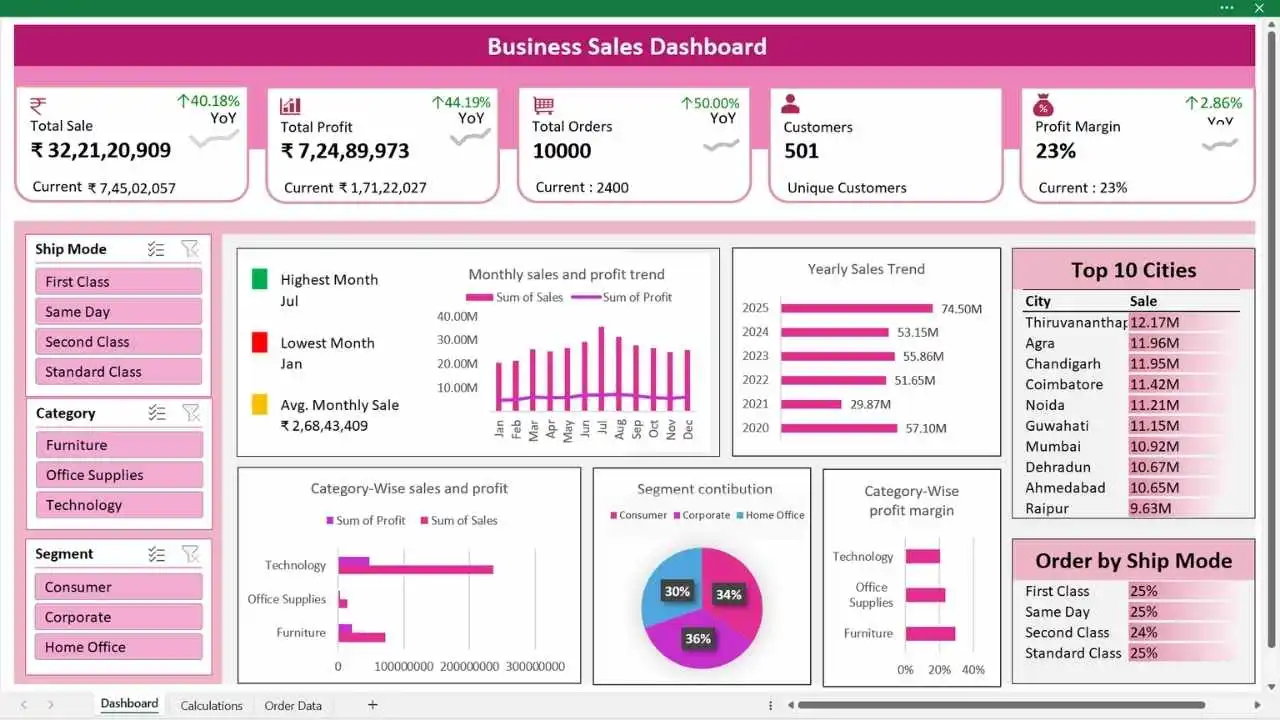
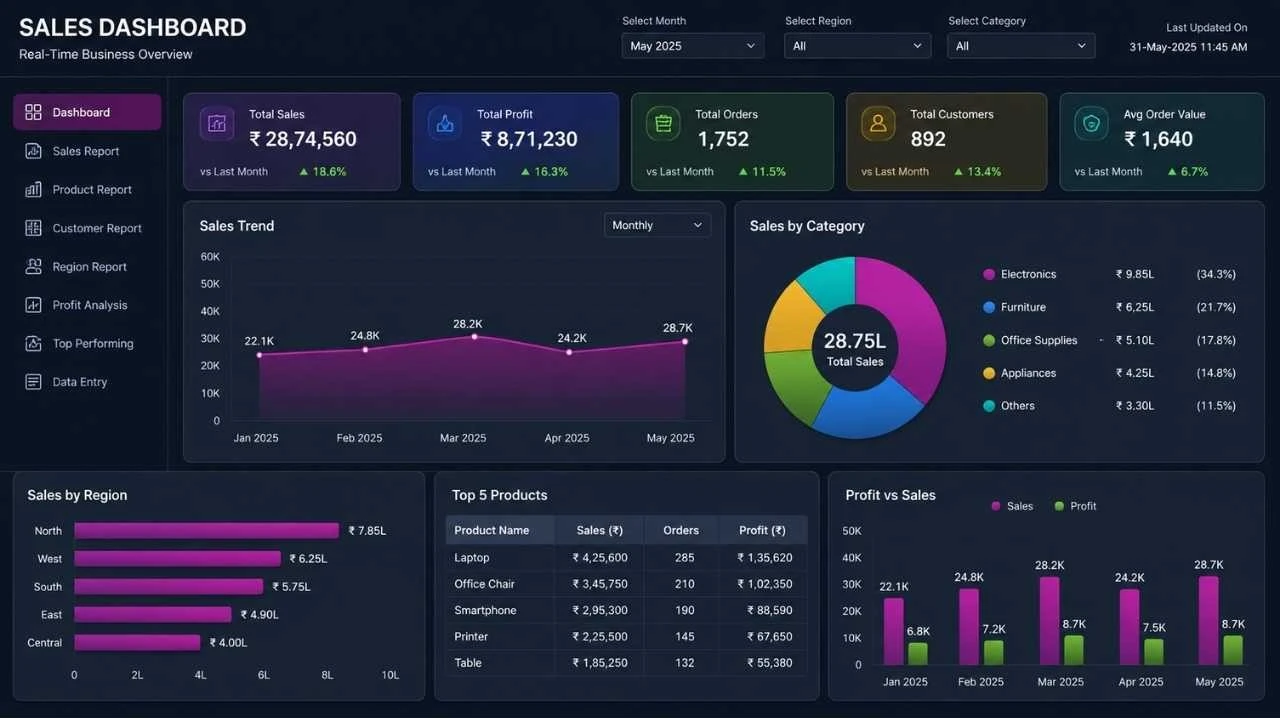
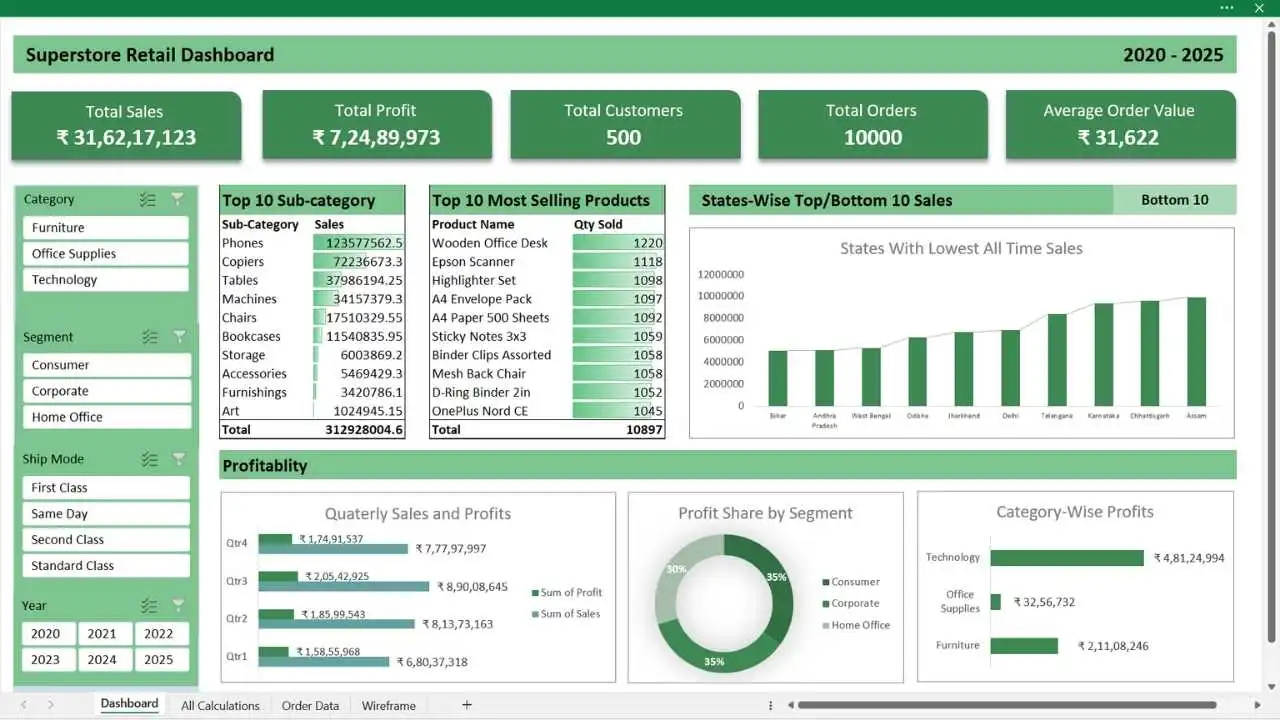
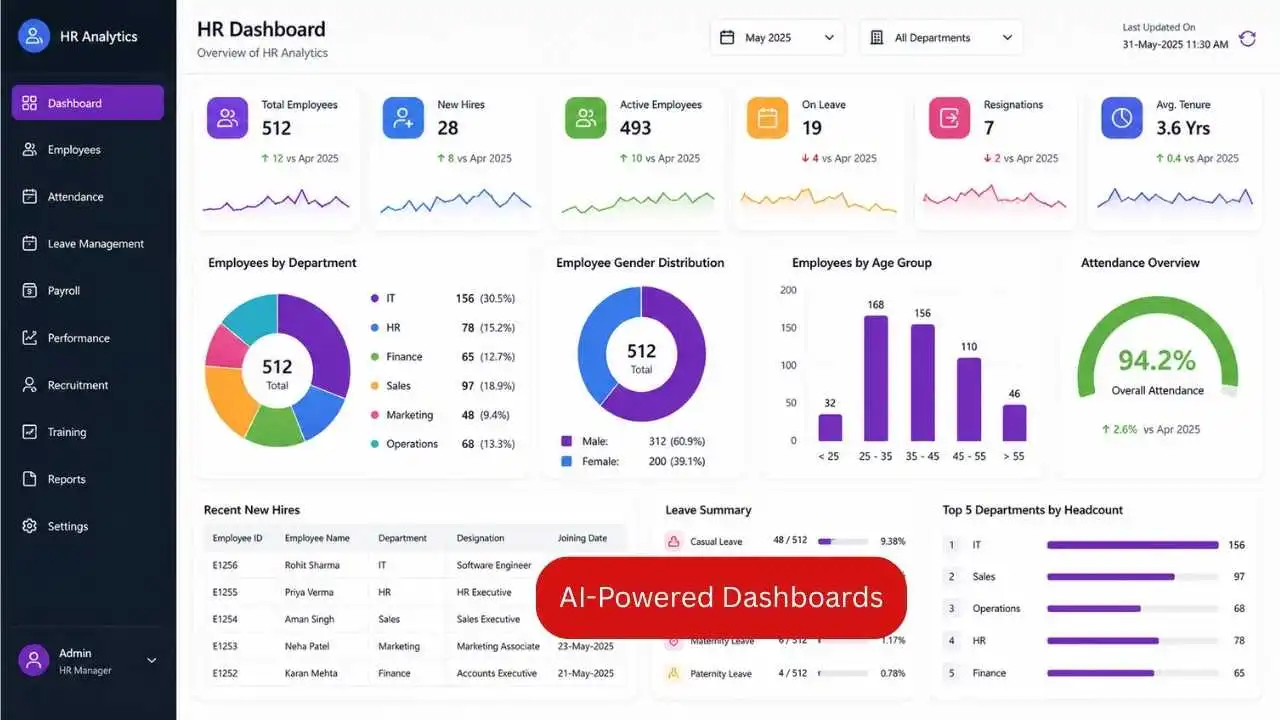
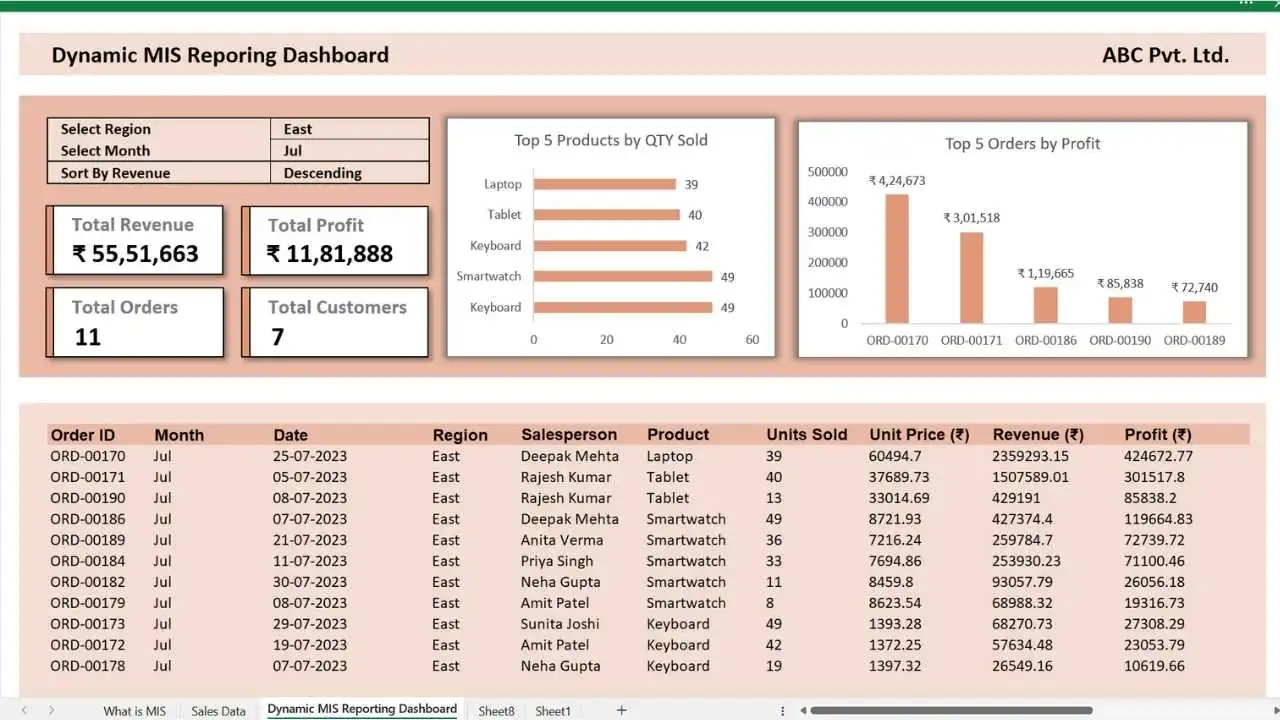
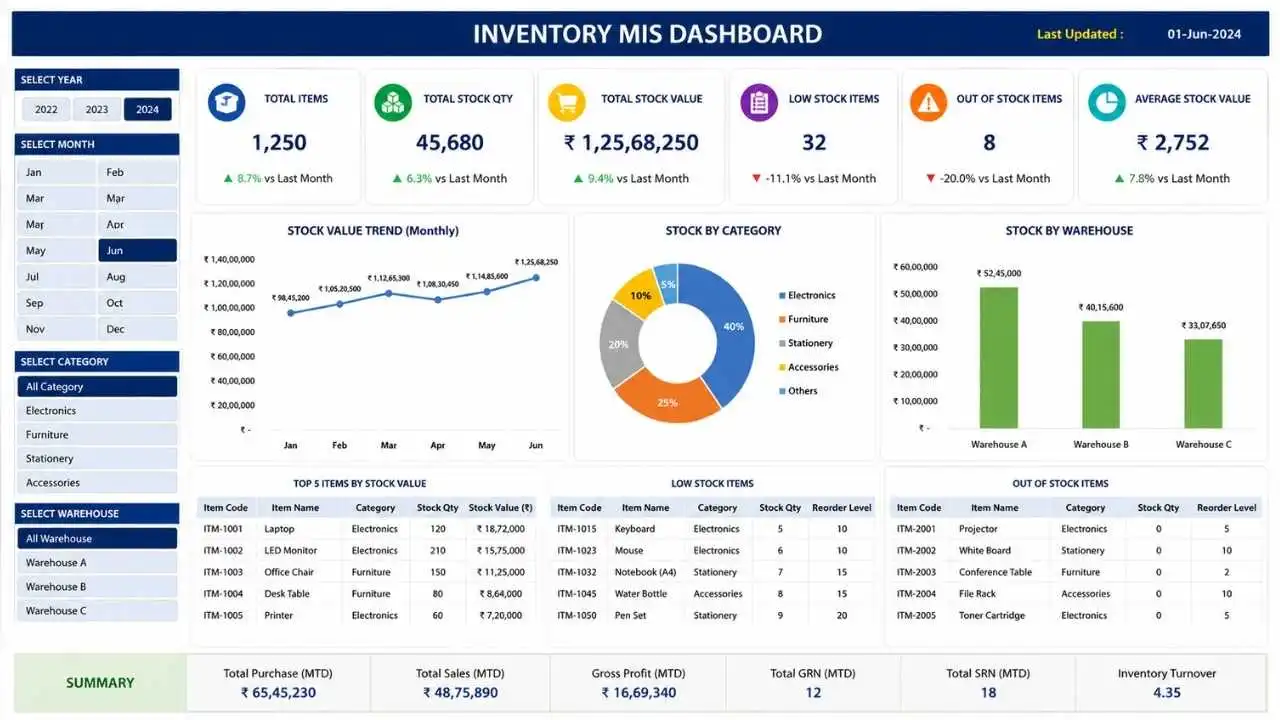
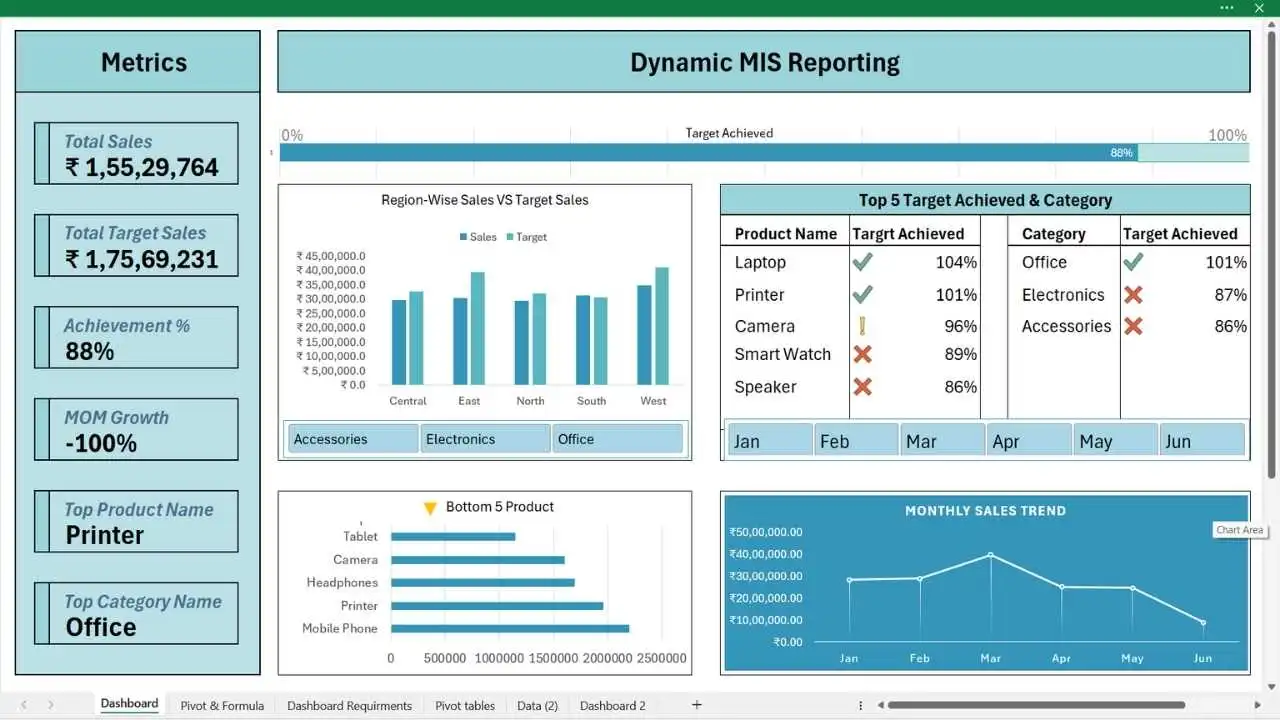
Course complete karne ke baad aap professional sales dashboards, MIS reports, KPI trackers, HR reports, automation projects aur business reporting systems confidently create kar paoge. Neeche diye gaye screenshots un real-world projects ki jhalak hain, jinhe aap is course me step-by-step practically banana seekhenge.
Dashboards
Reports
Dashboards
Reports
Dashboards
Projects
30+ Hours • 134 Lessons • Real Projects
Course Curriculum
Dosto, ye Excel Course specially students aur working professionals ke liye design kiya gaya hai, jisme aapko beginner se advanced level tak Excel ka structured step-by-step roadmap milega. Practical lessons, practice files, assignments aur interview questions ke saath real-world learning di gayi hai, jo aapki skills ko job-ready banakar career growth me help karegi.
| Lesson 1: Understanding Excel Interface & Core Concepts | 19:04 Min. |
| Lesson 2: Professional Data Entry & Formatting Techniques | 17:49 Min. |
| Lesson 3: Working with Rows, Columns & Worksheets | 16:31 Min. |
| Lesson 4: Freeze Panes for Better Data Navigation | 02:51 Min. |
| Lesson 5: Basic Excel Formulas and Functions | 20:10 Min. |
| Lesson 6: Percentage Calculations for Business Reports | 05:38 Min. |
| Lesson 7: Format Cell in Excel | 20:57 Min. |
| Lesson 8: Conditional Formatting in Excel | 18:30 Min. |
| Lesson 9: Advanced Conditional Formatting Techniques | 11:50 Min. |
| Lesson 10: Working With Multiple Sheets Simultaneously | 05:08 Min. |
| Lesson 11: Format Painter, Merged Cells and Clear Formatting | 06:34 Min. |
| Lesson 12: Save Excel Workbook in Different Formats | 05:23 Min. |
| Lesson 13: Comments and Notes in Excel | 07:28 Min. |
| Lesson 14: Smart Clipboard Techniques | 03:27 Min. |
| Lesson 15: Working with Shapes, Icons & Images | 13:31 Min. |
| Lesson 16: Module 1 – Practice Assignment (10 questions) | 05:04 Min. |
| Lesson 17: Essential Excel Keyboard Shortcuts (Daily Use) | 13:00 Min. |
| Lesson 18: Customizing Ribbon & Quick Access Toolbar | 09:00 Min. |
| Lesson 19: AutoFill for Smart Data Entries | 07:55 Min. |
| Lesson 20: Flash Fill in Excel | 07:03 Min. |
| Lesson 21: Advanced Find & Replace in Excel | 15:37 Min. |
| Lesson 22: Go To Special – Finding Special Cells Efficiently | 19:47 Min. |
| Lesson 23: Paste Special in Excel | 16:27 Min. |
| Lesson 24: Custom Views – Smart Viewing Techniques | 05:45 Min. |
| Lesson 25: Using and Creating Excel Templates | 05:11 Min. |
| Lesson 26: Excel Defined Name Ranges – Smart Referencing | 11:49 Min. |
| Lesson 27: Module 2 – Practical Assignment (10 Questions) | 03:37 Min. |
| Lesson 28: Remove Duplicates in Excel | 06:08 Min. |
| Lesson 29: Text to Column in Excel | 06:39 Min. |
| Lesson 30: Data Validation & Interactive Dropdown Lists | 26:15 Min. |
| Lesson 31: Format as Table (Slicer & Timeline) | 16:08 Min. |
| Lesson 32: Sorting and Advanced Sorting | 11:37 Min. |
| Lesson 33: Filtering and Advanced Filtering | 09:31 Min. |
| Lesson 34: Advanced Filter in Excel | 16:01 Min. |
| Lesson 35: Hyperlinks (Smart & Quick Navigation in Excel) | 04:46 Min. |
| Lesson 36: Module 3 – Practical Assignment (10 Questions) | 03:47 Min. |
| Lesson 37: Power Query Basic Fundamentals | 14:53 Min. |
| Lesson 38: Import Data, Load & Transform Data, Table vs Range in Power Query | 16:17 Min. |
| Lesson 39: Import Folder in Power Query – Folder Import Automation | 06:45 Min. |
| Lesson 40: Data Cleaning in Seconds Using Power Query | 12:29 Min. |
| Lesson 41: Append (Combine) Multiple Sheets into One Sheet | 06:59 Min. |
| Lesson 42: Module 4 – Practical Assessment | 02:13 Min. |
| Lesson 43: What If Analysis – Goal Seek for Target-Based Analysis | 17:27 Min. |
| Lesson 44: What If Analysis – Scenario Manager | 27:23 Min. |
| Lesson 45: Decision Making with Data Tables | 22:37 Min. |
| Lesson 46: Consolidate Data in Excel | 09:02 Min. |
| Lesson 47: Grouping & Subtotal Analysis Techniques | 12:38 Min. |
| Lesson 48: Module 5 – Practical Assessment (5 Questions) | 02:12 Min. |
| Lesson 49: Pivot Table Fundamentals | 23:31 Min. |
| Lesson 50: Creating Pivot Table Reports | 16:20 Min. |
| Lesson 51: Pivot Table for Dynamic Data Range | 07:23 Min. |
| Lesson 52: Recommended Pivot Tables | 02:07Min. |
| Lesson 53: Pivot Table from Multiple Sheets – Formula Techniques | 11:31 Min. |
| Lesson 54: Link Multiple Sheets Using Power Query | 08:09 Min. |
| Lesson 55: Pivot Table from External Data Sources | 04:22 Min. |
| Lesson 56: Using Slicers & Timelines for Interactive Reports | 10:54 Min. |
| Lesson 57: Creating Interactive Pivot Charts | 08:53 Min. |
| Lesson 58: Sorting & Filtering in Pivot Tables | 14:46 Min. |
| Lesson 59: Summarise Values By & Show Values As Options | 09:46 Min. |
| Lesson 60: Subtotal and Grand Total in Pivot Tables | 07:42 Min. |
| Lesson 61: Grouping Data in Pivot Tables | 07:06 Min. |
| Lesson 62: Module 6 Practice Project – Creating Dashboard | 19:53 Min. |
| Lesson 63: Relative, Absolute & Mixed Cell Referencing | 16:32 Min. |
| Lesson 64: Master IF Formula | 15:14 Min. |
| Lesson 65: IF + AND Formula | 19:52 Min. |
| Lesson 66: IF + OR Formula | 12:10 Min. |
| Lesson 67: Nested IF Functions | 09:52 Min. |
| Lesson 68: IFS Function (New Version of Nested IF) | 06:41 Min. |
| Lesson 69: SWITCH Formula | 11:02 Min. |
| Lesson 70: Module 7 – Practical Assignment | 07:54 Min. |
| Lesson 71: VLOOKUP Fundamentals | 13:46 Min. |
| Lesson 72: Retrieving Complete Data using VLOOKUP | 12:46 Min. |
| Lesson 73: Dynamic Column VLOOKUP | 12:00 Min. |
| Lesson 74: Dynamic Table Range in VLOOKUP | 07:03 Min. |
| Lesson 75: Exact Match & Approximate Match in VLOOKUP | 11:23 Min. |
| Lesson 76: VLOOKUP with Dropdown Lists | 06:59 Min. |
| Lesson 77: Fixing Biggest VLOOKUP Problem | 04:56 Min. |
| Lesson 78: VLOOKUP with Multiple Criteria | 15:16 Min. |
| Lesson 79: Reverse VLOOKUP Without INDEX MATCH (Modern Techniques) | 04:18 Min. |
| Lesson 80: VLOOKUP from Multiple Sheets | 08:02 Min. |
| Lesson 81: Using Multiple Tables in One VLOOKUP | 08:12 Min. |
| Lesson 82: Double VLOOKUP | 06:51 Min. |
| Lesson 83: Introduction to XLOOKUP Function | 06:28 Min. |
| Lesson 84: XLOOKUP vs VLOOKUP | 16:40 Min. |
| Lesson 85: Non-Adjacent Multiple Return Arrays in XLOOKUP Using CHOOSE | 07:17 Min. |
| Lesson 86: Multiple Criteria in XLOOKUP | 02:35 Min. |
| Lesson 87: Advanced XLOOKUP Techniques | 07:34 Min. |
| Lesson 88: INDEX and MATCH Masterclass | 22:49 Min. |
| Lesson 89: Module 8 – Practice Assignment(10 Questions) | 07:19 Min. |
| Lesson 90: Introduction to Dynamic Array Formulas | 18:33 Min. |
| Lesson 91: FILTER Function | 22:01 Min. |
| Lesson 92: SORT & SORTBY Functions | 17:26 Min. |
| Lesson 93: UNIQUE Function | 11:10 Min. |
| Lesson 94: SEQUENCE Function | 11:33 Min. |
| Lesson 95: TAKE & DROP Functions | 15:00 Min. |
| Lesson 96: TEXTSPLIT, TEXTBEFORE & TEXTAFTER Functions | 21:06 Min. |
| Lesson 97: RANDARRAY Function | 13:33 Min. |
| Lesson 98: VSTACK and HSTACK Function | 10:34 Min. |
| Lesson 99: Project: Employee Search & Reporting System | 19:54 Min. |
| Lesson 100: Module 9 – Practice Assignment(10 Questions) | 04:34 Min. |
| Lesson 101: All Text Functions | 23:19 Min. |
| Lesson 102: All Date Functions | 20:50 Min. |
| Lesson 103: All Time Functions | 07:28 Min. |
| Lesson 104: SUMIF & SUMIFS Functions | 15:15 Min. |
| Lesson 105: COUNTIF & COUNTIFS Functions | 07:19 Min. |
| Lesson 106: AVERAGEIF & AVERAGEIFS Functions | 04:01 Min. |
| Lesson 107: RANK, LARGE & SMALL Functions | 13:13 Min. |
| Lesson 108: SUBTOTAL Function | 05:46 Min. |
| Lesson 109: ROUND, ROUNDUP & ROUNDDOWN Functions | 03:29 Min. |
| Lesson 110: Module 10 – Practice Assignment (10 Questions) | 06:24 Min. |
| Lesson 111: PMT Function — EMI & Loan Calculations | 20:33 Min. |
| Lesson 112: PMT Business Analysis & What-If Scenarios | 17:02 Min. |
| Lesson 113: IPMT & PPMT Functions | 18:36 Min. |
| Lesson 114: FV (Future Value) Function | 12:47 Min. |
| Lesson 115: PV (Present Value) Function | 14:46 Min. |
| Lesson 116: NPV Function for Investment Analysis | 20:59 Min. |
| Lesson 117: IRR & XIRR Functions | 08:47 Min. |
| Lesson 118: Loan EMI & SIP Calculator Project | 23:45 Min. |
| Lesson 119: Module 11 – Assignment (10 Questions) | 07:16 Min. |
| Lesson 120: Dashboard Design Principles & Layout | 15:50 Min. |
| Lesson 121: KPI Card Design | 20:26 Min. |
| Lesson 122: KPI Dashboard Creation | 23:26 Min. |
| Lesson 123: Dynamic KPI Dashboard | 16:42 Min. |
| Lesson 124: Dynamic Charts & Interactive Visualizations | 34:33 Min. |
| Lesson 125: Dynamic MIS Reporting Dashboard | 42:11 Min. |
| Lesson 126: Growth Metrics, Comparisons & Business Calculations | 40:02 Min. |
| Lesson 127: Dashboard Practice Project | 55:50 Min. |
| Lesson 128: End to End – Project 1 | 01:20 Hr. |
| Lesson 129: End to End – Project 2 | 01:00 Hr. |
| Lesson 130: ChatGPT for Excel Automation | 35:29 Min. |
| Lesson 131: AI for Excel Formulas & Functions | 23:15 Min. |
| Lesson 132: Claude Ai in Excel For Reporting and Dashboards | 25:28 Min. |
| Lesson 133: Microsoft Copilot in Excel | 27:05 Min. |
Your Career Upgrade Starts Here !
🔒 Secure Payment • Instant Course Access
Real Student Feedback
Dekhiye hamare learners is course ke baare me kya kehte hain.
❤️ Loved by Our 1M+ YouTube Community
Hamari 1M+ YouTube community ke genuine comments aur feedback.










Our Learners Work at Top Companies
Hamare learners top companies me Advanced Excel, Data Analysis aur AI skills ka use karke apni career growth ko accelerate kar rahe hain



























Meet Your MENTOR
Hi, I’m Deepak Nehra — founder of Deepak EduWorld and an M.Tech professional with 14+ years of industry experience. Sahi guidance aur practical skills kisi bhi learner ki career journey ko completely transform kar sakti hain. Isi liye mera focus hamesha learners ko practical, automation, project-based aur industry-ready Excel skills sikhane par hota hai, jo advanced excel skills unhe confidently career growth achieve karne me help karti hain.
- 1M+ YouTube Family
- Practical Project-Based Learning
- Automation & AI Skills
- Industry-Ready Excel Training
🔒 Secure Payment • Instant Course Access

Frequently Asked Questions
Is excel online course se related commonly pooche jaane wale questions ke answers yahan aapko mil jayenge. Agar aapka koi aur question ho, to aap humari support team se email ke through contact kar sakte hain.
Ye course students, job seekers, working professionals, business owners aur beginners sabke liye useful hai. is course se aap apni excel skills ko next level par le ja saktey ho.
Nahi, course basic se start hota hai aur step-by-step advanced level tak sikhaya gaya hai.
Haan, har lesson ke saath hands-on practice ke liye practice files provide ki jayengi. Har module ke end me assignments bhi diye gaye hain jisme 10-10 practical questions hain, jo interviews crack karne me bhi aapki help karenge.
Haan, is course me practical Excel, MIS, Dashboard aur Data Analysis skills sikhayi gayi hain jo jobs me kaafi useful hoti hain.
Haan, course-related doubts ke liye support available rahega.
Haan, course par 7 Days Refund Policy available hai. Refund se related complete details aap Refund Policy page par padh sakte hain.
Haan, is course me latest Excel formulas aur modern tools jaise XLOOKUP, FILTER, SORT, SEQUANCE, UNIQUE, Dynamic Formulas, Pivot Tables, Dashboards aur Power Query practical examples ke saath sikhaye gaye hain.
Haan, course complete karne ke baad certificate diya jayega.
Course enroll karne ke baad aapko lifetime access milega, jisme aap course ko kabhi bhi aur kitni bhi baar access kar sakte hain.
Haan, aap mobile, laptop aur desktop kisi bhi device par course access kar sakte hain.
Haan, is course me chatgpt, copilot & claude AI tools ke saath Excel ko smartly use karna bhi sikhaya gaya hai, jisse aap apna kaam faster aur more productive bana sakte hain.
Haan, is course ke baad aap professional high-level Dashboards, MIS Reports aur interactive Excel reports confidently create kar paayenge. Course me sab kuch step-by-step practical examples ke saath samjhaya gaya hai.
Ye course 30+ hours ka hai. Daily thoda-thoda learn aur practice karte hue aap is course ko approx. 40–50 days me easily complete kar sakte hain.
Student Reviews & Feedback
Dekhiye learners ne is Advanced Excel with AI course ke baare me kya feedback diya hai.
Best Course to Master Excel from Basic to Advanced Level.
Deepak sir apki to baat hi alag hai… 👌🙏😊
Thanks a lot sir 🙏 Advanced Excel seekhne ke liye maine is course se pahele 3 course me enroll kiya but paisa waste hua and kuch bhi samgh nahi aaya sir. but apke is course mein learning step-by-step hai and 50% course abhi complete kiya hai.. sabkuch bahut acche se seekh rahi hu sir main. thanks sir
Deepak sir I joined this course just to improve my Excel skills, but honestly, I’m learning much more than I expected. Thanks a lot sir 🙏
Sir, learning experience ekdum different raha. Bahut accha course banaya hai apne… dil se thanks sir ❤️
Namaskar Sir 🙏 Main aapke YouTube channel se kaafi time se Excel seekh raha tha. Ab aapka Advanced Excel Mastery Course with AI join kiya hai. Course kaafi practical aur easy to understand hai. Bahut kuch naya seekhne ko mil raha hai. Thank you Sir! 🙏
Deepak Sir ka course kaafi useful hai. Concepts simple way mein samjhaye hain aur practical examples bhi bahut achhe hain. Thanks sir 🙏
I recently enrolled in Deepak Sir’s Advanced Excel Mastery Course with AI, and I’m really happy with the learning experience. The concepts are explained in a simple and practical way, which makes even advanced Excel topics easier to understand.
Overall, a very useful course for anyone who wants to improve their Excel skills and become more confident with Excel and AI.
Highly recommend 🔥
if you really want to master excel… this is best excel online course to learn advanced formulas, dashboards, new functions, projects and AI and many more… 🙏 thanks deepak sir